Choosing the right tour booking plugin is one of the most important decisions for tour and travel businesses using WordPress. A powerful travel booking plugin can simplify tour management, streamline online reservations, automate payments, and enhance the overall customer booking experience.
Among the most popular WordPress tour booking plugins, WP Travel and WP Travel Engine consistently stand out. Both plugins offer features for creating tour packages, managing bookings, accepting online payments, and handling travel itineraries. However, they differ significantly in terms of usability, customization options, pricing, performance, scalability, and built-in travel management features.
In this guide, you will get a clear WP Travel vs WP Travel Engine comparison. You will learn what each plugin does well, where each one may fall short, and which one fits your travel business better.
Table of Contents
Overview of WP Travel

WP Travel is a WordPress tour booking plugin built for travel agencies, trekking companies, tour operators, and travel entrepreneurs. It combines tour creation, booking management, payments, itinerary management, and travel-specific SEO in one solution, allowing businesses to build and manage their booking websites without coding.
With 485,000+ downloads, a 4.7/5 rating on WordPress.org, and 6,000+ travel websites powered by the plugin, WP Travel has established a strong presence in the WordPress travel industry. Its built-in TouristTrip Schema automatically adds structured data to help search engines understand tour information, while features such as on-page booking, multiple pricing, tour extras, and partial payments give businesses greater control over the booking experience.
WP Travel also stands out for its flexibility as the business grows. The free version provides core booking functionality, while WP Travel Pro adds advanced capabilities such as 40+ premium features, additional payment gateways, WooCommerce integration, Zapier automation, Mailchimp, and mapping integrations.
It also offers a PWA experience that gives travelers an app-like booking experience on mobile devices. With support for Elementor and Gutenberg through dedicated extensions, along with payment options such as Khalti and Razorpay, WP Travel gives travel businesses a flexible foundation for building and expanding their online booking operations.
Overview of WP Travel Engine
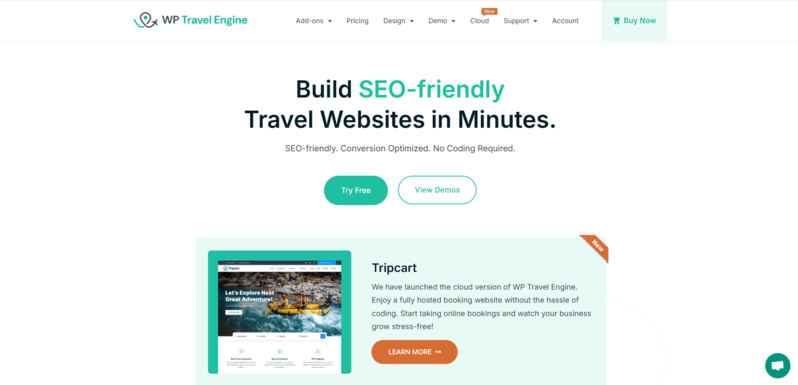
WP Travel Engine is a WordPress travel booking plugin designed for travel agencies, tour operators, trekking companies, and other travel businesses. It helps businesses create and sell tour packages through their websites, with tools for managing itineraries, destinations, pricing, bookings, and payments.
The plugin also focuses on SEO, with built-in Schema markup in JSON-LD format to help search engines understand travel and tour content. It empowers 20,000+ travel agencies worldwide.
WP Travel Engine also includes features designed to improve the booking and traveler experience, such as advanced tour search, booking progress indicators, group discounts, additional services, multilingual website support, and integrations with translation plugins such as WPML, Polylang, and Loco Translate.
It follows a free-and-premium model, allowing businesses to start with the core plugin and expand its functionality through paid add-ons for areas such as user experience, upselling, marketing, lead capture, conversion, automation, and payment gateways.
WP Travel vs WP Travel Engine: Pricing
Pricing is one of the most important factors to consider when choosing between WP Travel and WP Travel Engine. Both plugins follow a free-and-premium model, allowing travel businesses to start with a free version and upgrade when they need advanced booking, payment, marketing, automation, and management features.
However, their premium pricing models are quite different. WP Travel Pro follows an all-in-one plugin model, with all features included without requiring separate add-ons, and offers both monthly and annual subscription plans.
In contrast, WP Travel Engine follows a tiered model built around its Pro plugin and premium add-ons. The WP Travel Engine Pro plugin is required as the foundation for using the premium add-ons, while the add-ons extend the plugin with additional functionality. It offers annual plans as well as lifetime licenses for users who prefer longer-term access.
WP Travel Pro pricing
| Plan | Monthly Pricing (Billed Annually) | Annual Pricing (Billed Annually) |
| Personal (1 Site) | $8.34 | $99.99 |
| Plus (5 Sites) | $16.67 | $199.99 |
| Expert (25 Sites) | $49.99 | $599.99 |
WP Travel Engine Pricing
| Plan | Annual Pricing(Per Month) | Lifetime Pricing |
| Development Company (10 Sites) | $49 | $2,499 |
| Travel Agency (1 Site) | $29 | $1,199 |
| Growth (1 Site) | $25 | $799 |
| Personal (1 Site) | $12 | $499 |
Quick Comparison: WP Travel Engine vs WP Travel
In-Depth Feature Breakdown: WP Travel vs WP Travel Engine
Now let’s take a further look at WP Travel and WP Travel Engine in more detail when looking at potential booking, payments, design features, and flexibility.
| Feature | WP Travel | WP Travel Engine |
| On-Page Booking | Built-in booking allows direct date selection on the trip page | Basic on-page is available in all formats |
| Currency Exchange Rate | Real-time exchange is available as a Pro feature | Built-in currency converter available via premium add-ons |
| Booking block system | Allows date restriction/blocking within trip settings | Supports date blocking via WooCommerce booking extensions or add-ons |
| Recurring Dates | Included in WP Travel Pro | Available in the premium version |
| Multiple Pricing | Per-person, group, seasonal, and fixed pricing — all part of core or Pro | Tiered and seasonal pricing are supported in the premium |
| Group Discount | Built-in group discount and pricing configuration in WP Travel Pro | Available in Pro but requires an addon |
| Coupon System | Available in the free version | Available for free |
| Partial Payment | Partial payment is supported in Free (limited), for advanced features requires Pro | Available in the premium version |
| Invoice Generation | Included in WP Travel Pro | Included in Premium |
| Multiple Checkout | Available in WP Travel Pro | Supported via WooCommerce multi-cart |
| Trip Reviews | Available as a built-in feature in WP Travel | Available via built-in functionality |
| Advanced Gallery | Customizable, high-quality image galleries optimized for fast loading are available in Pro | Advanced gallery supported via page builders |
| Weather Forecast | Real-time weather forecasts are included in WP Travel Pro | Available in Premium or compatible themes |
| Advanced Field Editor | Visual field editor for booking, inquiry, and traveler forms — Pro feature | Drag-and-drop field editor built into Premium |
| Advanced Analytics | Dashboard with total bookings, revenue, top trips, best destinations — free | Premium version provides a reporting module with booking, income, and trip insights |
| Email Notifications | Built-in email triggers and templates are available in limited free and advanced in Pro | Available via add-ons in Premium |
| Support Channels | Docs, ticket system, live chat, and email | Docs, email, ticket, and community support |
| SEO Integration with Yoast | Available in free versions | Not available |
Why Switch to WP Travel?
WP Travel is a strong choice for travel businesses looking for a complete tour booking system without relying on multiple separate extensions. It brings booking, payments, pricing, travel management, SEO, integrations, and mobile functionality together in one platform.
1. All-in-One Travel Booking Features
WP Travel provides 40+ features covering multiple pricing, partial payments, group discounts, inventory management, recurring dates, download itineraries, tour extras, traveler management, and automation. This gives travel businesses the flexibility to manage different tour types and booking requirements from one platform.
2. Flexible Payments and Currencies
WP Travel supports a wide range of payment gateways, including PayPal, Stripe, Square, Razorpay, Khalti, Paystack, and PayU. It also supports multiple currencies and currency exchange, making it suitable for businesses serving international travelers.
3. Advanced Travel-Specific Features
WP Travel is built around the needs of travel agencies and tour operators. Features such as recurring dates, multiple pricing, custom trip tabs, advanced itineraries, inventory management, tour extras, and multiple traveler management help businesses create and manage different types of tours.
4. Travel-Focused SEO
WP Travel includes TouristTrip Schema for tour pages, helping search engines understand important trip information such as pricing, destinations, duration, itineraries, departure dates, and reviews. This Trip SEO feature helps businesses optimize their trip pages for search visibility and present structured tour information to search engines.
5. Mobile Booking Experience
WP Travel includes a PWA Mobile App that provides an app-like experience for travelers on mobile devices. This gives customers a convenient way to browse trips and access booking-related information from their smartphones.
6. Wide Range of Integrations
WP Travel integrates with tools such as WooCommerce, Zapier, Mailchimp, Google Calendar, WPML, Elementor, Gutenberg, and mapping services. These integrations help businesses connect their booking system with marketing, ecommerce, content, and automation workflows.
7. Flexible for Growing Businesses
WP Travel offers a free starting point with the option to expand into advanced functionality as business requirements grow. Its premium offering provides access to a broad range of advanced features under one package, giving businesses a straightforward way to scale their booking system.
Final Thoughts
WP Travel and WP Travel Engine are two strong plugins specifically designed to serve travel agencies, tour operators, and WordPress site owners with travel-related goals. Both plugins offer core features such as trip booking, itinerary management, and payment integration, but they have different approaches.
Ultimately, the choice of the two plugins comes down to your business goals, technology preferences, and vision for long-term growth. If you value modularity, want to be able to grow with only the features you need, and want customization and SEO potential, WP Travel provides the flexibility to accomplish that.
If you would rather have a quicker setup process, everything bundled into a single package, and especially if you are working with Elementor templates, then WP Travel Engine may be the easier option for you.
Either way, both options can get your travel site where you want it to be; the difference would be in how much control, customization, and scalability you would like to have at your disposal.
👉 Ready to start with a flexible and customizable travel plugin? Try WP Travel today!

Frequently Asked Questions
Yes, WP Travel is fully compatible with Elementor. You can use Elementor to design your trip pages, layouts, and booking sections with ease. While WP Travel doesn’t rely on Elementor, it integrates smoothly for users who prefer page builders.
Yes, you can switch, but it requires some manual work. Since both plugins have different data structures and database tables, your trip details and settings won’t automatically transfer. You may need to reconfigure trips, itineraries, and payment settings when migrating to WP Travel.
Absolutely. WP Travel provides detailed documentation, video tutorials, and knowledge base articles covering everything from plugin installation to advanced configuration. Support is also available if you need help during setup.
Yes. WP Travel provides responsive booking features across devices, and its PWA Mobile App adds an app-like booking experience for mobile users.
Yes. WP Travel automatically generates travel-specific structured data for trips, including details such as pricing, destinations, duration, group size, and trip information, while its current schema implementation uses the TouristTrip type.
No. WP Travel supports visual customization through Elementor, Gutenberg blocks, widgets, and built-in settings, allowing users to customize trip pages and booking experiences without coding.
Yes. WP Travel supports multiple pricing categories, minimum and maximum pax limits, per-person or per-group pricing, and group discounts, making it suitable for family, corporate, and other group bookings.
Yes, for many growing and established tour businesses. WP Travel includes inventory management, booking reports, multiple pricing, recurring departures, and tools for managing multiple trips and bookings, although actual high-volume performance will also depend on hosting, WordPress configuration, database size, and other site-level factors.
Yes. WP Travel’s itinerary builder uses a structured editor that lets you add and organize each day of a trip with details such as titles, dates, times, images, and descriptions, making it easy to create clear day-by-day tour itineraries without coding.

Yam Chhetri is a WordPress expert specializing in travel plugins, themes, and website solutions. With 10+ years of experience, he helps tour operators and travel agencies find the best tools to build high-performing travel websites.
Yam provides expert insights on WordPress tour booking plugins, and travel website enhancements, helping businesses choose the right solutions. His in-depth plugin comparisons and industry analysis make it easier for travel entrepreneurs to navigate the digital landscape.