Restrict bookings to the child category when no adult category is selected, which facilitates efficient booking management for family-oriented services or events.
Understanding how to navigate this scenario can smooth processes, ensure compliance, and enhance the overall user experience.
WP Travel is a complete booking package for making customized travel agency or tour operator websites on WordPress in minutes.
On the other hand, WP Travel Pro is an enhanced version of the plugin that offers additional functionalities, including adding multiple categories to a single price for a trip.
For example, you can add different prices for adults and children, reflecting the varying costs associated with each category.
However, you can achieve the restriction on bookings when only the ‘child’ category is selected by using additional JavaScript code.
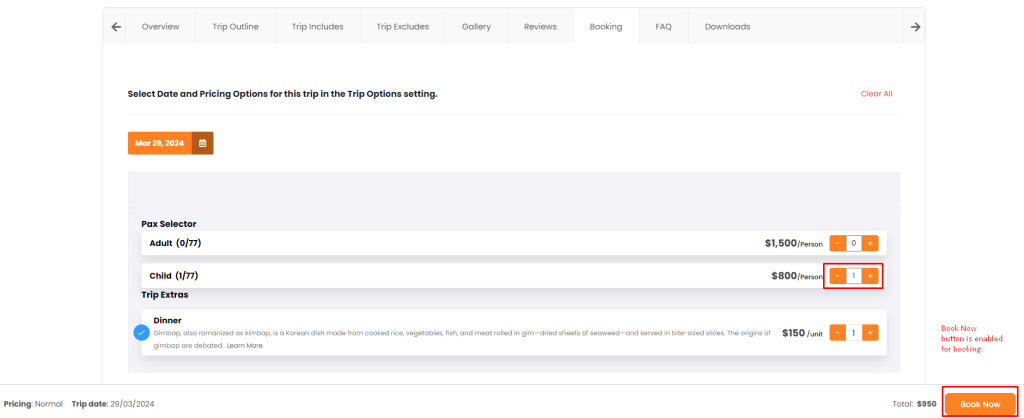
To control the booking process, you can follow the steps provided below:
Steps
1. Install and activate the Simple Custom CSS and JS plugin.
The Simple Custom CSS and JS plugin allows you to add custom CSS or JavaScript code snippets to your website. With just a few clicks, enhance your site’s design and functionality by implementing tailored styles.
2. Activate Plugin for Custom JS & CSS Settings
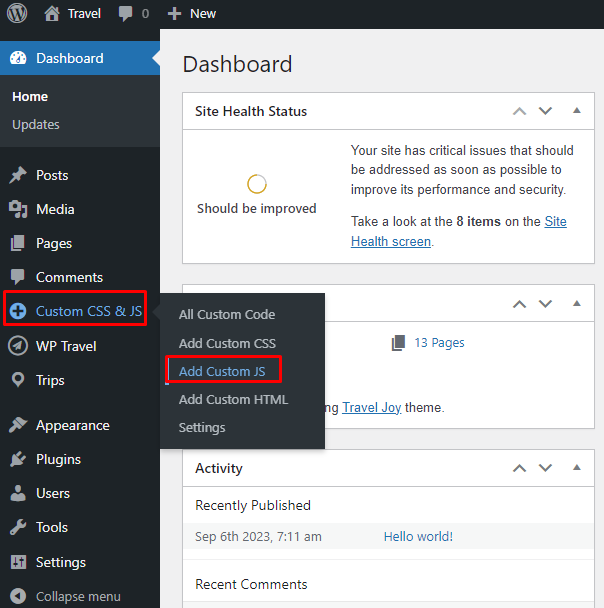
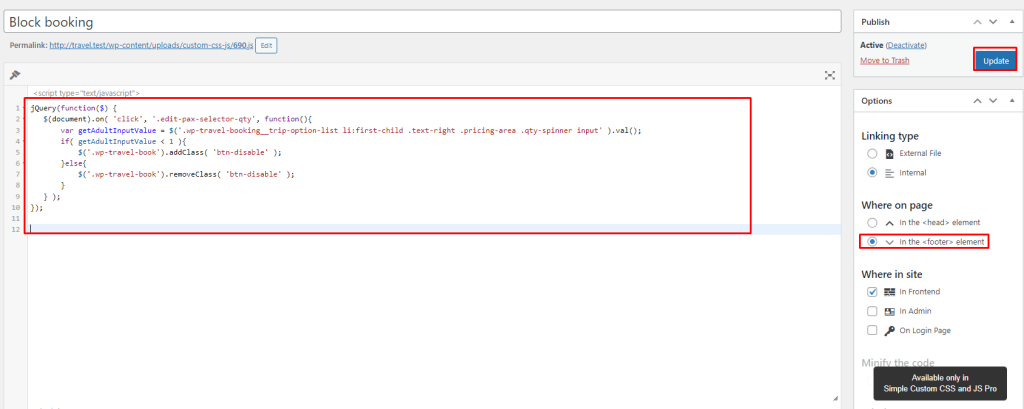
3. Implement Custom JavaScript Code
jQuery(function($) {
   $(document).on( 'click', '.edit-pax-selector-qty', function(){
       var getAdultInputValue = $('.wp-travel-booking__trip-option-list li:first-child .text-right .pricing-area .qty-spinner input' ).val();
       if( getAdultInputValue < 1 ){
           $('.wp-travel-book').addClass( 'btn-disable' );
       }else{
           $('.wp-travel-book').removeClass( 'btn-disable' );
       }
   } );
});
Note: The JS will not work when “Enable Pax Individual” option is enabled.
4. Save Changes for Automatic JavaScript Execution
The ‘Book Now’ button at the footer will be disabled if only the child category is selected.
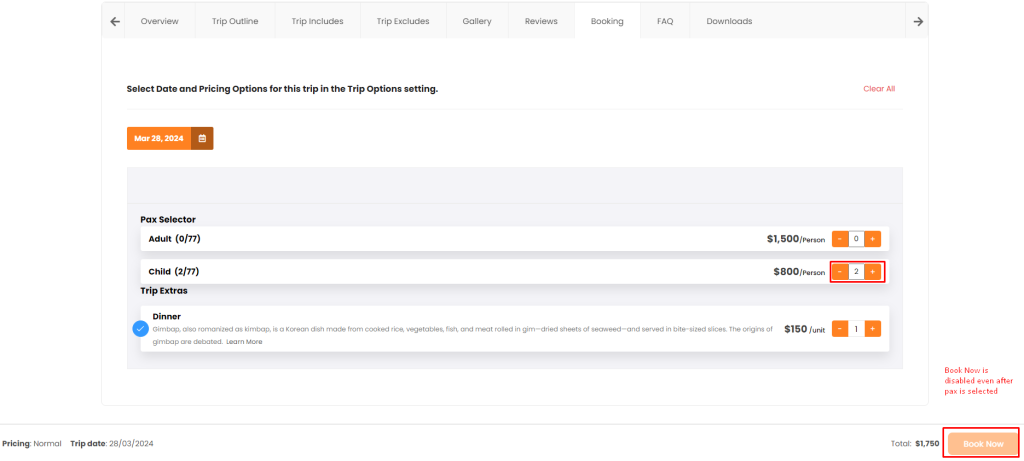
To proceed with a booking, at least one adult must be selected with a child. This is due to the JS code added, which restricts bookings when only the ‘child’ category is selected.
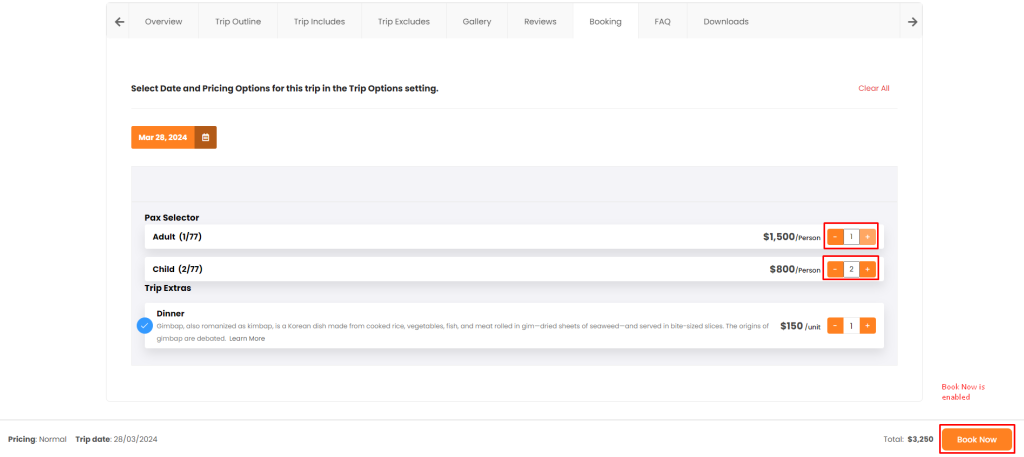
Restricting bookings to the child category when no adult selection is made ensures streamlined booking processes and enhances the user experience.
Check the WP Travel documentation to learn more about configurations, modules, payments, and shortcodes.
Your feedback helps us improve. Feel free to share your thoughts!
Need assistance? Contact our support team, join our Facebook community, and subscribe to our YouTube Channel for video tutorials.
You can also find us on Facebook, Instagram, LinkedIn, TikTok, and X. Thank you for choosing WP Travel.
If you are a WP Travel Free user thinking about upgrading to Pro, simply click on the banner below.


WP Travel Editorial is a team of WordPress and travel industry experts dedicated to delivering technical resources, travel business guides, and general travel insights. With over 10 years of experience, the team provides in-depth release notes, feature updates, and informative articles to help tour operators and travel enthusiasts succeed in the evolving travel landscape.
From plugin updates and industry trends to practical travel resources, WP Travel Editorial shares valuable content that supports both the travel industry and avid travelers.